Claude Code handles a task.
ArchStage handles a product.

A native desktop app that gives your Claude Code workflow real structure — sprints, pipelines, persistent context, and a spec-driven execution model that works the same way every time.

7-day free trial. No credit card. €59 one-time purchase to unlock.

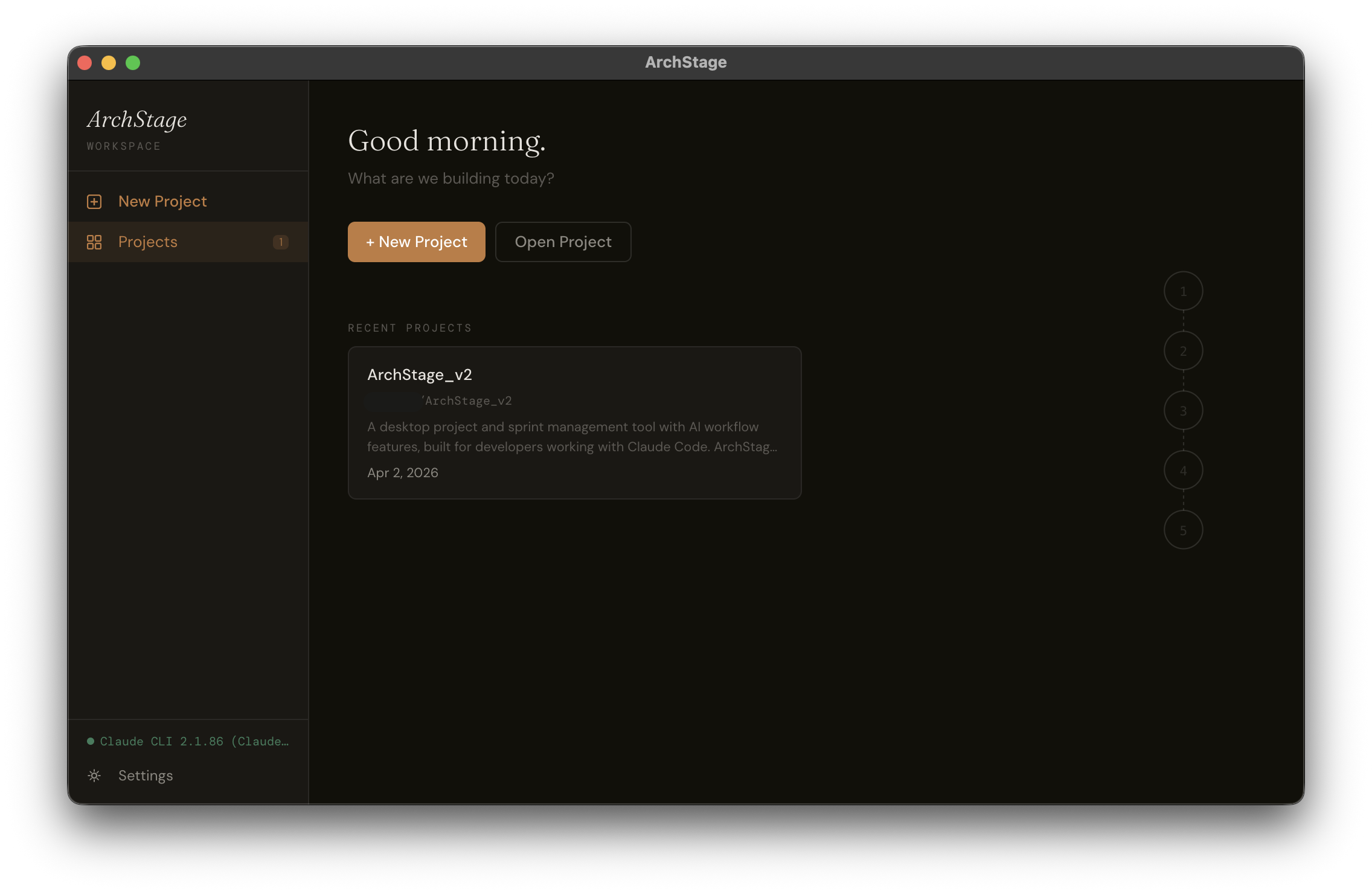
ArchStage home screen — project list with recent sprints

Building real products with AI is still a mess.

Claude Code is genuinely impressive. But the moment you try to use it for a real project — something with multiple sessions, evolving specs, and actual complexity — things fall apart fast.

You re-explain context every session. You lose track of what was decided and what was built. You paste specs into prompts manually and hope nothing critical gets dropped. There's no structure. No pipeline. No source of truth.

Claude Code was built to handle a task. Nobody built the layer above it — until now.

A structured pipeline. Every sprint.

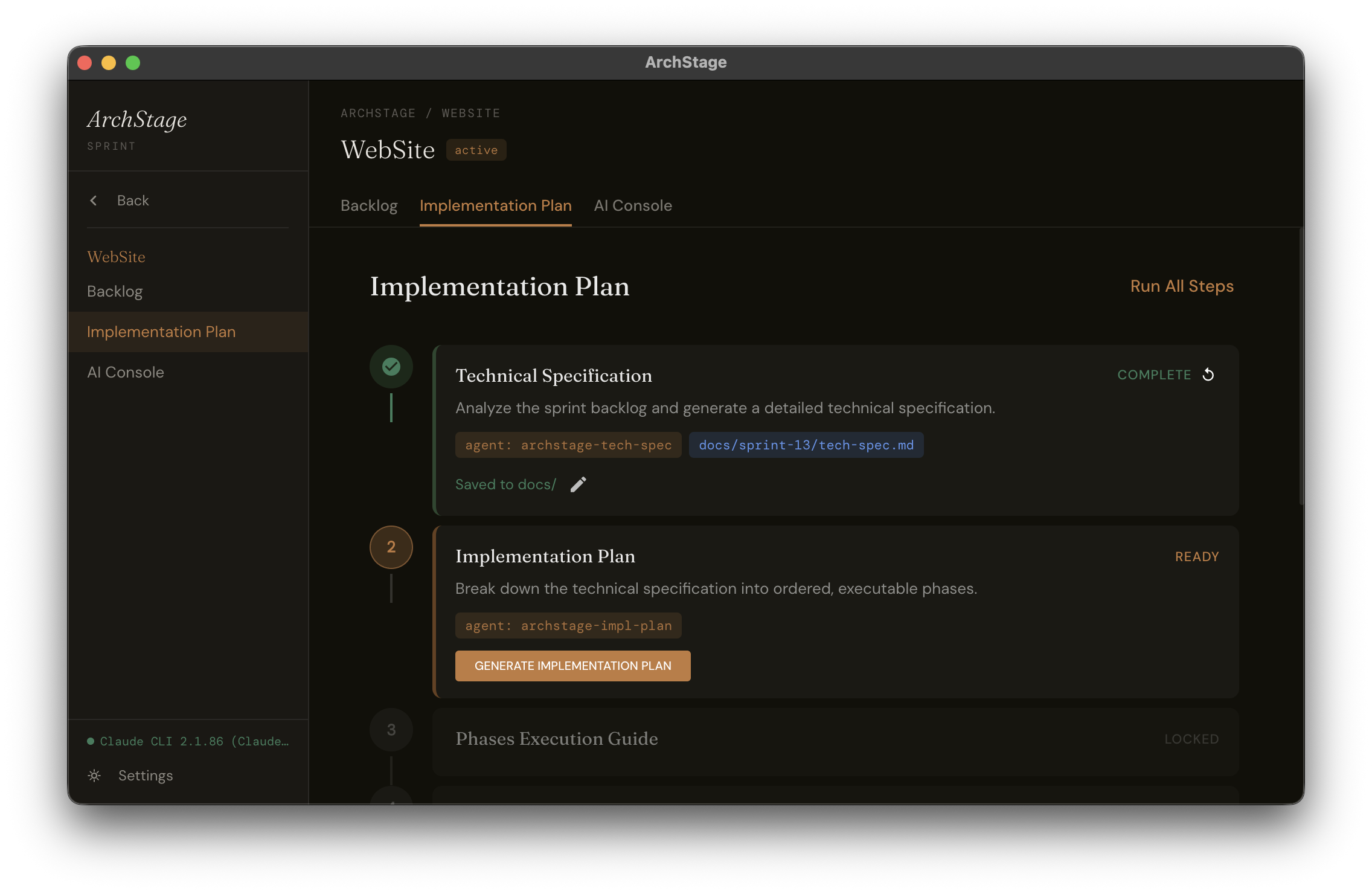
ArchStage runs the same 5-step process for every sprint. Consistent, auditable, and fully driven by Claude Code.

1 Build your backlog

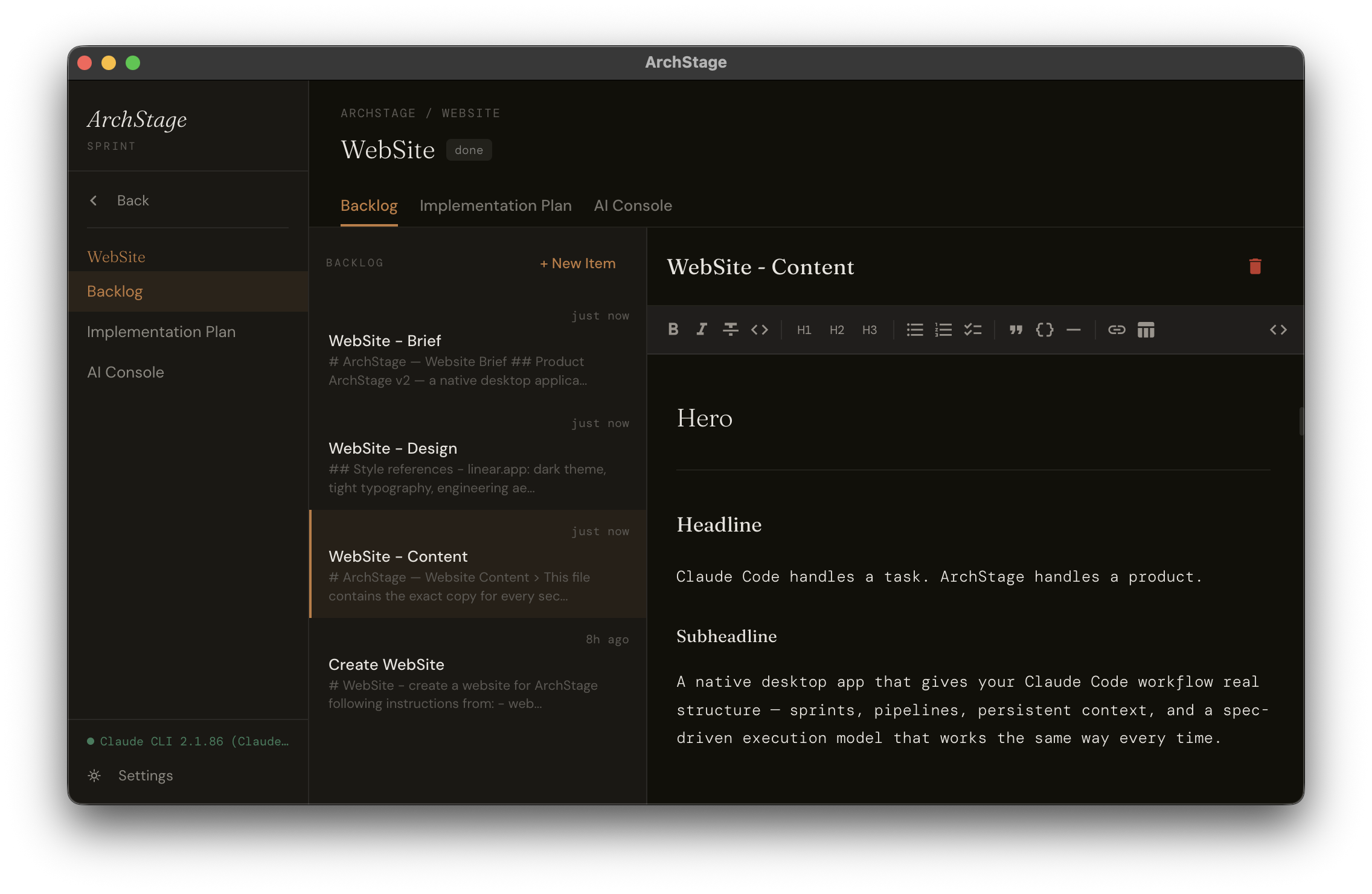
Create a project, write backlog items in the rich text editor, and organise them into sprints. Each sprint has its own scope, documents, and AI console.

2 Generate the Tech Spec

One click runs the archstage-tech-spec agent against your sprint backlog. It reads your documents, your stack, and your project context — and produces a detailed technical specification.

3 Generate the Implementation Plan

The archstage-impl-plan agent takes the tech spec and breaks it into a sequenced, phased implementation plan. Each phase is scoped, ordered, and ready to execute.

4 Split into execution phases

The archstage-phase-splitter agent converts the master plan into individual phase prompt files on disk — one per implementation step. Claude Code reads them directly.

5 Execute — and update CLAUDE.md

Run each phase through the AI Console. After completion, the CLAUDE.md Updater agent rewrites your project's context file so the next sprint starts with full awareness of what was built.

ArchStage implementation pipeline — 5-step sprint process

Everything the workflow needs. Nothing it doesn't.

Self-contained project files

Every project lives in a single .archstg file — a portable SQLite database you can version, back up, or share. No cloud sync required. No account. Your project stays yours.

Sprint-based workflow

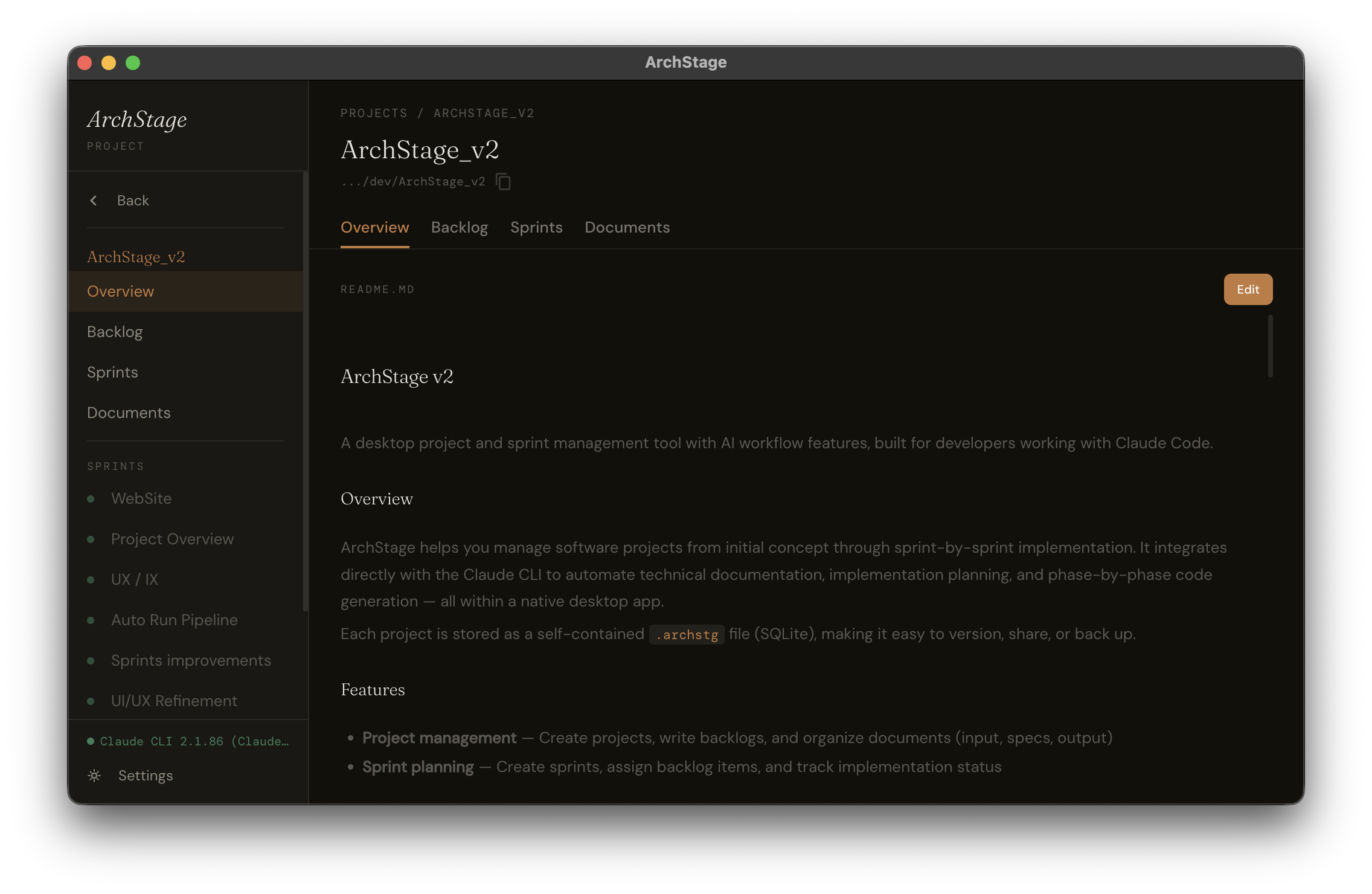
Projects are broken into sprints. Each sprint has its own backlog, documents, implementation pipeline, and AI console. You always know what's in scope — and what isn't.

Configurable AI Skills

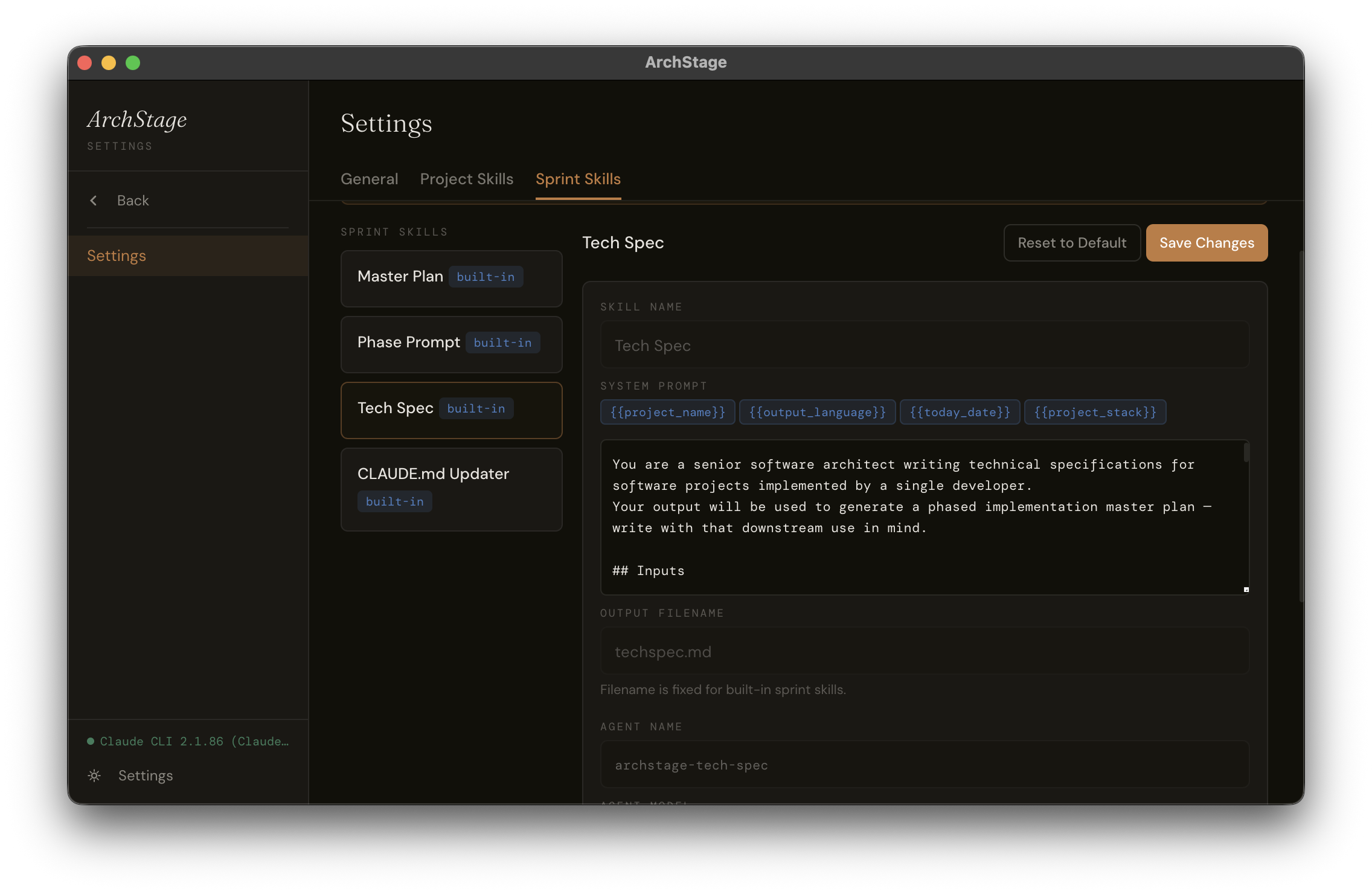
Skills are prompt templates with variables — {{project_name}}, {{project_stack}}, {{today_date}} — that generate precise Claude Code instructions. Built-in sprint skills (Tech Spec, Master Plan, Phase Prompt, CLAUDE.md Updater) can have their system prompt customised. Project-level skills are fully user-defined.

Named agents, selectable models

Each sprint skill maps to a named Claude Code sub-agent. You choose the model — Haiku for speed, Sonnet for balance, Opus for complexity. Switch per-skill, not per-project.

Persistent AI Console

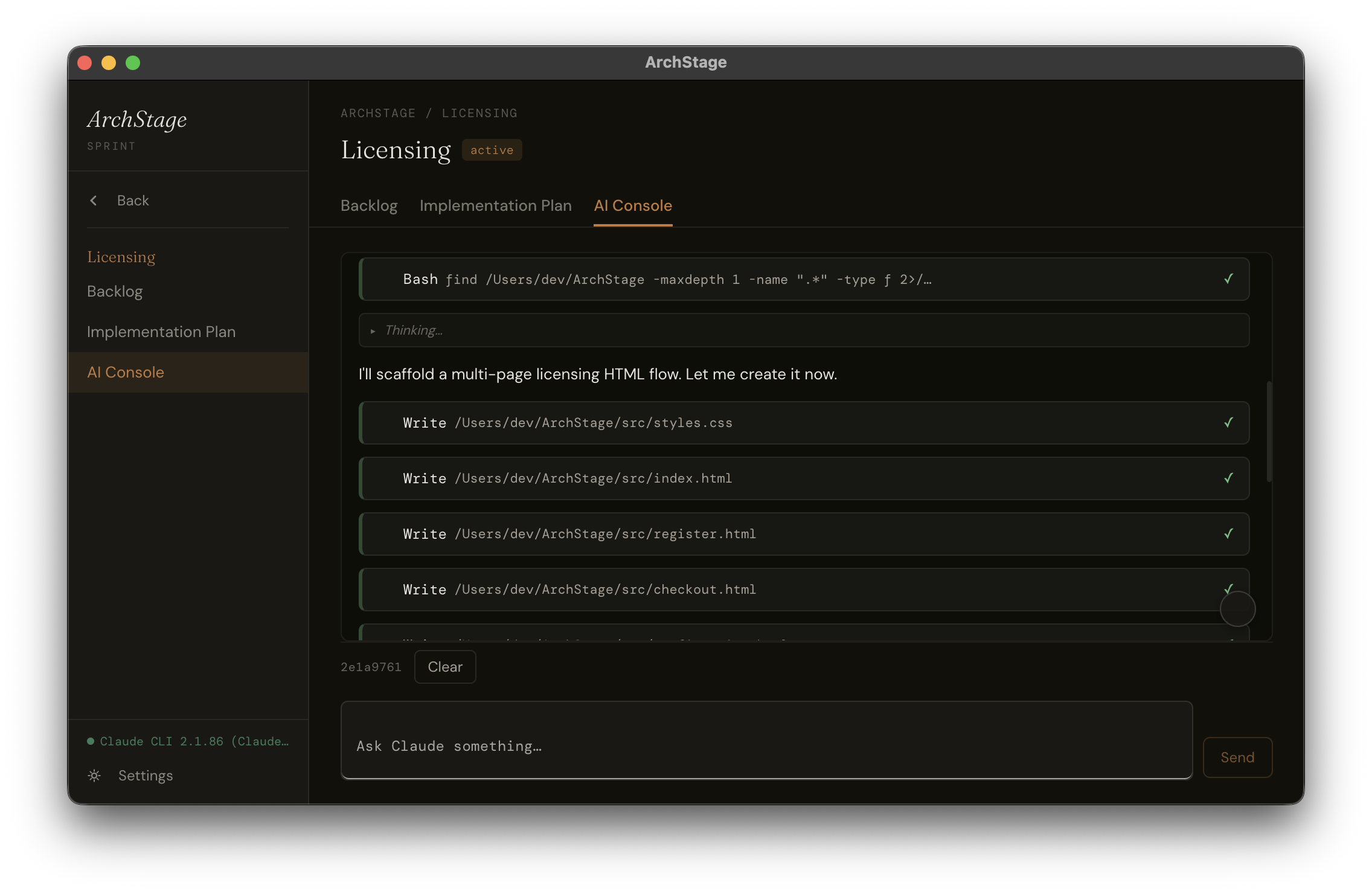
Every sprint has its own interactive Claude session. It persists across the sprint's lifetime, remembers what was discussed, and runs with the permission profile you set. Not a one-shot prompt — a working session.

CLAUDE.md auto-update

After each sprint, ArchStage rewrites your project's CLAUDE.md with what was built. The next sprint starts informed. No manual context management. No copy-pasting summaries into prompts.

Rich document editor

Backlog items and documents are edited in a full TipTap editor — bold, italic, headings, tables, lists, code blocks, links. Write specs the way you think, not the way a plain textarea forces you to.

English, French, German

The UI ships in three languages. More on the way.
See it. Then build with it.

ArchStage home screen — project list with recent sprints

Start your day knowing exactly what you're building.

ArchStage project view — sprints, documents, and project context

All your sprints, documents, and project context in one place.

ArchStage sprint backlog — rich text editor with sprint assignments

Write backlog items in a proper editor. Assign them to sprints.

ArchStage implementation pipeline — five steps, same order, every sprint

Five steps. Same order. Every sprint.

ArchStage AI Console — interactive Claude session with live tool output

The interactive AI Console — execute phases, manage permissions, track progress in real time.

ArchStage settings — sprint skills with agent model and system prompt config

Customise the system prompt and model for each built-in skill.

One price. Yours to keep.

No subscription. No usage fees. No infrastructure costs — you pay Anthropic directly for Claude usage, not us.

ArchStage

€59

One-time purchase

  • Full ArchStage v2 desktop app (Mac + Windows)
  • All v2.x updates included
  • Unlimited projects, sprints, and skills
  • 7-day free trial before purchase
Download free trial — Mac Download — Windows

ArchStage requires Claude Code CLI (free to install) and an Anthropic API subscription. You control your own usage and costs directly with Anthropic.

Does ArchStage work without Claude Code?

No. ArchStage is built specifically to orchestrate Claude Code CLI. You'll need Claude Code installed and authenticated before using ArchStage.

Do I need an Anthropic subscription?

Yes — Claude Code requires an Anthropic account. Your Claude usage is billed directly to you by Anthropic. ArchStage has no visibility into or control over your usage costs.

What's included in the €59 purchase?

Full access to ArchStage v2, including all future v2.x updates. When a major new version ships (v3+), existing customers will receive a significant upgrade discount.

Is my data stored in the cloud?

No. Everything is stored locally in your .archstg project file. ArchStage has no cloud backend, no analytics, and no telemetry. The only network calls are to Anthropic (via Claude Code) and to our license validation endpoint when you activate a purchase.

Can I use ArchStage on multiple machines?

Each license activates on one machine. If you need to move to a new machine, you can deactivate your current license from Settings and reactivate on the new one.

Is Windows supported?

Yes — ArchStage is available for both Mac (arm64 and x64) and Windows.

What if I find a bug or need help?

Email support@archstage.app — you'll reach the developer directly. No support ticket queue.